One tool, three jobs

Understand a program, check a change, clean up dead code. All on the PC, with nothing sent anywhere.

Understand

See what a program really does

  • A flow chart of the program you can click through.
  • How many times each part ran on your test data, and which parts never ran.
  • A plain description of what the program does.
  • A map of the jobs and files it touches.
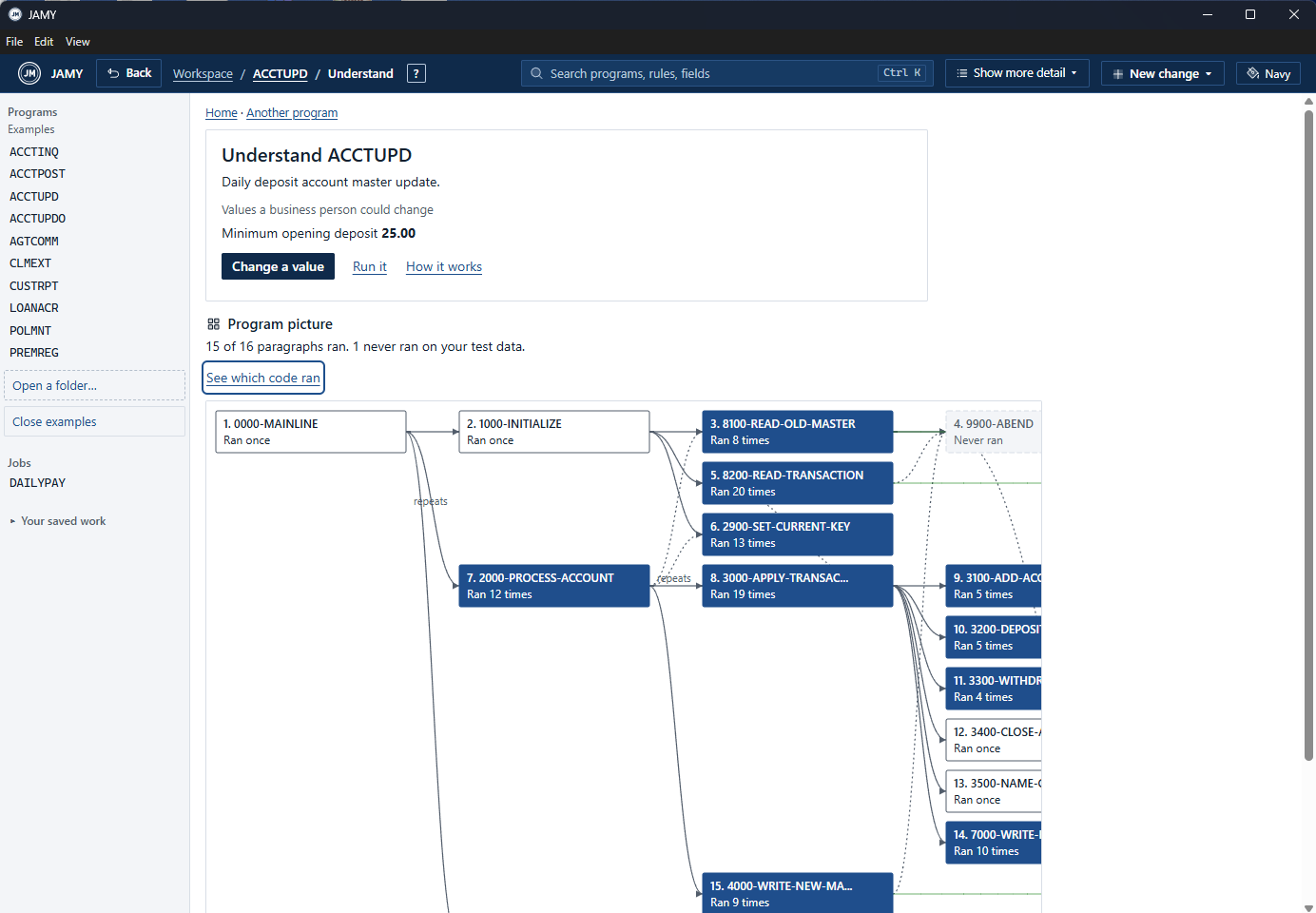
JAMY Understand screen: a flow chart of a program’s paragraphs, each showing how many times it ran, with one marked never ran

Check a change

Prove what a change did

  • JAMY runs the old and the new program on the same test files.
  • It compares every byte of every output.
  • It says in plain words what changed and what stayed the same.
  • It doesn’t matter who wrote the change: a person or an AI tool.
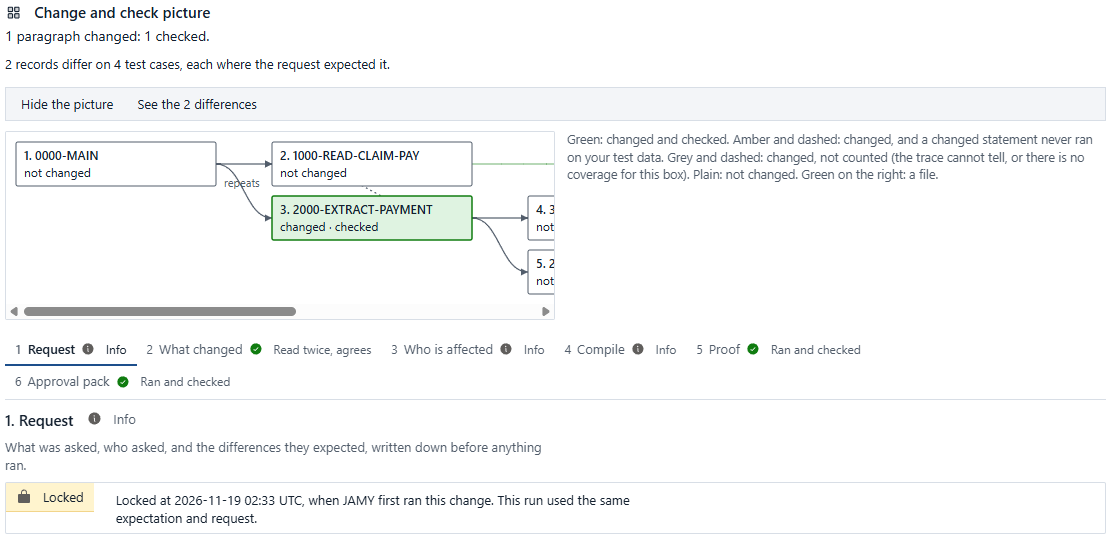
JAMY check screen: one paragraph of the program is green, marked changed and checked, and the request is locked before anything ran
One paragraph changed, and JAMY confirms it was the only one.

Clean up

Find what can safely go

  • JAMY scans a whole folder of programs for dead code and tidy-ups.
  • It sorts each program: clean now, already tidy, or needs a bigger tidy-up.
  • Every clean-up is checked like any other change, so you know nothing else moved.
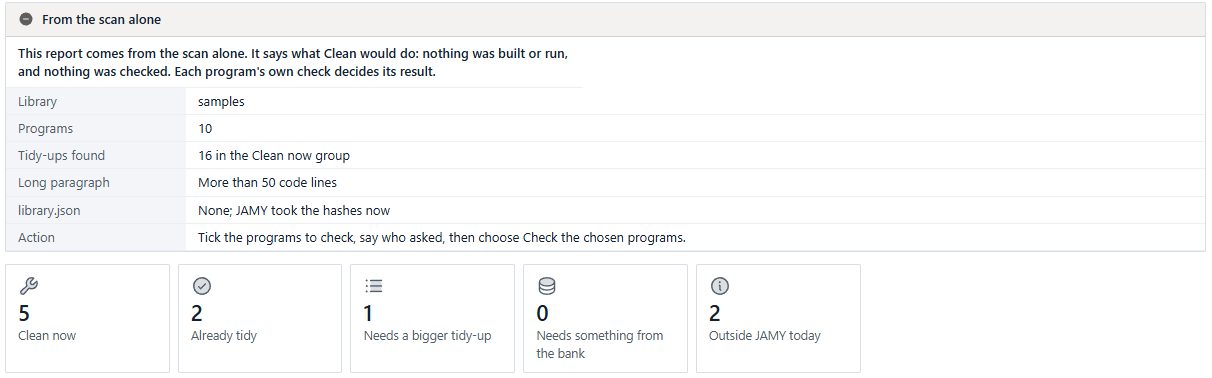
JAMY clean-up scan of ten programs: 5 can be cleaned now, 2 are already tidy, 1 needs a bigger tidy-up, 2 are outside JAMY today
A scan of ten programs, sorted by what can be done now.

What JAMY covers today

Built for batch COBOL: the programs and jobs that do the nightly work.

Batch programs

The programs behind billing, payroll, accounts, claims and orders.

Your file types

Sequential, print and indexed (VSAM KSDS) files.

Db2 and CICS

The common commands, through a small stand-in on the PC.

Whole folders

Programs, jobs and the files between them, mapped together.

Try it on one of your own programs

The first look is free: one hour, online. Your code stays on your PC.

Ask for a free first look